
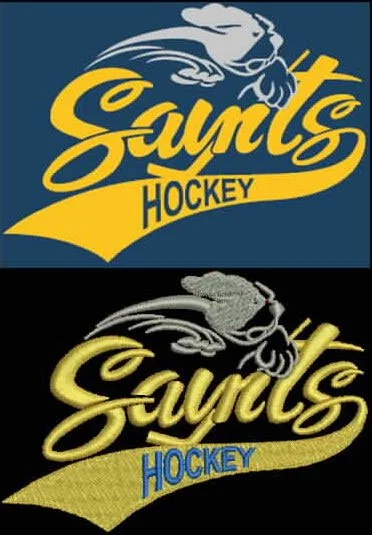
For embroidery shop owners, the file format behind a design can make a bigger difference than it first appears. A clean logo file may still stitch poorly if it is not saved in the right format for the machine. That is why understanding commercial embroidery machine formats is so important when you’re moving from artwork to production.
Different machines read different extensions, and each one stores design data in a slightly different way. Some files hold stitch paths, colour changes, sequencing, and stops. Others are more limited and may need conversion before they can be used on your equipment. If a file is not set up correctly, it can lead to registration issues, awkward trims, unnecessary thread breaks, or extra cleanup at the machine.
File Formats Matter More Than You Think
Embroidery machines do not read a logo the same way a graphic file does. A JPG or PNG is just an image. It shows what the design looks like, but it does not tell the machine how to stitch it. That’s where embroidery files come in.
A format like DST is widely used because it stores stitch information in a way many commercial machines can recognise. Other systems may use PES or different extensions depending on the machine brand. If you’re working with shops that run several kinds of equipment, it helps to know which format each setup needs before production starts.
This is especially important for common shop jobs like digitizing for left chest logos, logo digitizing for hats and shirts, and jacket back embroidery digitizing. These designs may seem simple on screen, but once they move to fabric, the file has to match the machine and the garment type.
What’s Actually Stored in an Embroidery File?
Embroidery files don’t just contain a design—they store instructions. These include:
However, not all formats store all of this information equally. Some may simplify or strip out certain details during conversion. That’s where issues can start, especially when working with designs that include small lettering or detailed elements.
If your shop frequently relies on text digitizing specialists, even minor data loss can affect clarity and readability on the final stitch-out. So trust only the experts to avoid any discrepancies.
Avoiding Common Conversion Problems
File conversion is sometimes unavoidable, especially when working across different machines or client requirements. But it’s also one of the most common sources of production issues.
Here are a few things to watch for:
-
Missing stitch details: Some formats don’t carry over all stitch instructions
-
Thread sequence changes: This can slow down production or require manual fixes
-
Distorted designs: Especially noticeable on caps or structured garments
-
Loss of density control: Which can affect coverage and fabric stability
To avoid these problems, it’s better to request the correct format from the start rather than relying on software to convert files. This is especially important when working with 3D puff embroidery digitizing or structured designs where stitch accuracy matters more.

Matching the File to the Job
The best format is often the one your machine reads cleanly and consistently. For many shops, that means keeping a master version of the design and exporting the right file only when needed. That can reduce repeat work and help avoid surprises on the floor.
It also helps to keep designs organized by use case. For example, cap and hat digitizing services may require a different setup than a left chest logo or a jacket back. Likewise, uniform logo digitizing may need to be more durable and readable than a fashion-style piece.
When the artwork comes in as a flat image, some shops also need image to vector tracing or raster to vector conversion services before the embroidery file can be prepared properly. That step is especially useful when the original logo is low resolution or not clean enough to scale.
Work With Files That Fit Your Setup
Choosing the right file format isn’t complicated, but it does require attention to detail. When your files match your machine and your workflow, production becomes more predictable and efficient.
If you’re tired of dealing with format issues or inconsistent results, it may be time to simplify your workflow. At Affordable Digitizing, we provide custom and affordable embroidery digitizing tailored to your machine’s requirements.
Whether you need files for caps, jackets, or uniform logo digitizing, we’ll deliver formats that are ready to run—so you can spend less time troubleshooting and more time stitching.
Get in touch today to streamline your next order.